Showing posts with label Week 2. Show all posts

Friday, 1 June 2018

Week 2 - Forefront Friday: Scorn

Scorn (2018) Scorn is an upcoming first-person shooter horror game set to be released this October. The game features striking visual designs inspired by the work of H.R Giger. I find this game to be an interesting example of the forefront because it is a modern take on an artist's work that has influenced a lot of iconic games over the past few decades. I find it particularly interesting to see how this art style has been translated to the high fidelity 3D environments seen in Scorn.

 An early trailer for the game Scorn.

Dark Seed is a game from the early 1990's with a surrealistic art syle based on H.R. Giger's artwork. It is exciting for me to see how Scorn has been inspired by the same artist and brought this visual style into the modern technological age, allowing for fully interactive 3D alien landscapes.

https://proxy.duckduckgo.com/iu/?u=https%3A%2F%2Fwww.myabandonware.com%2Fmedia%2Fscreenshots%2Fd%2Fdark-seed-1dl%2Fdark-seed_14.png&f=1
A screenshot from the 1992 game Darkseed. The game features environments based on the work of H.R. Giger.

The developers have claimed they have designed the game around the idea of "being thrown into the world", and as such, very little context is given about the game's setting. This is an element that I love in video games, as ambiquity and trying to decipher the story for yourself is a big draw for me and is something I wish to include in my own work.

The developers have explained that they want to make the unsettling environment feel like a character in itself and this is an amazing concept that lends itself to a lot of creative visual storytelling. I want my own environment to almost take on a life of its own. As the player explores deeper into the mansion's dark halls, I want it to feel like they are slowly being swallowed by the monstrous structure.

CYBERDREAMS (1992) Dark Seed. [DISC] Amiga, MS-DOS, Amiga CD32, Macintosh, Sega Saturn, PlayStation. Calabasas: Cyberdreams.

EBB SOFTWARE (2018) Scorn - Part 1 of 2: Dasein. [DOWNLOAD] Microsoft Windows. San Francisco: Humble Bundle.

GAME NEWS OFFICIAL (2016) SCORN Official Trailer (2017). [Online Video]. July 9th. Available from: https://www.youtube.com/watch?v=BKTkCa5nB_8 [Accessed: 01/06/2018].

VENTURES, E. (2017) Exclusive Interview with Lead Developer of Scorn. [Online] Available from: http://opiumpulses.com/article/189 [Accessed: 01/06/2018]

Thursday, 31 May 2018

Week 2 - Thursday: Ornate Details and Sconce Model

Throughout opulent architectural design, I have noted the prominence of sweeping ornate decals. This is a design element that is particularly common within the Baroque architectural period and the excessive amount of detail exemplifies the elegance and decadence of the people who used to reside in such places.

Baroque decals.

Because these designs are very much a staple of classical architecture, I felt my mansion environment would feel incomplete if it did not include them. The owner of my mansion was someone who sought to impress, therefore it makes logical sense that his home would replicate the excessive style of the Baroque architectural period.

I decided to invest some time into creating different elements that I could repeat throughout my environment:

I created these details in 3DS Max. I kept them low poly so that I could easily simulate curved surfaces by applying the turbo smooth modifier to them.

As a test, I combined my newly created details together to make a sconce prop which is a type of light fixture that protrudes from a wall.

The elements combined together to create the main body of the sconce asset.

I wanted to create a small asset that I could show all of the details I had created in a concise way. I have added this piece to my Artstation portfolio and will continue to update it as I create more assets.

The elements combined together to create the main body of the sconce asset.

Below you can see how the asset looks in the game engine so far. It's looking a little blown out on the candle sticks at the moment so I will need to edit the material's attributes for better integration within the environment.

The completed sconce in the Unreal Engine environment.

JUST IN LOVE WITH BERN.I (2018), Fabulous Shangri-la Hotel Paris [Image]. Available at: https://justinlovewithberni.com/fabulous-shangri-la-hotel-paris/ [Accessed: 31/05/2018].

SUMMERSON, J. (1980) The Classical Language of Architecture. Revised and enlarged ed. London: Thames and Hudson.

Wednesday, 30 May 2018

Week 2 - Wednesday: Symposium Session 1

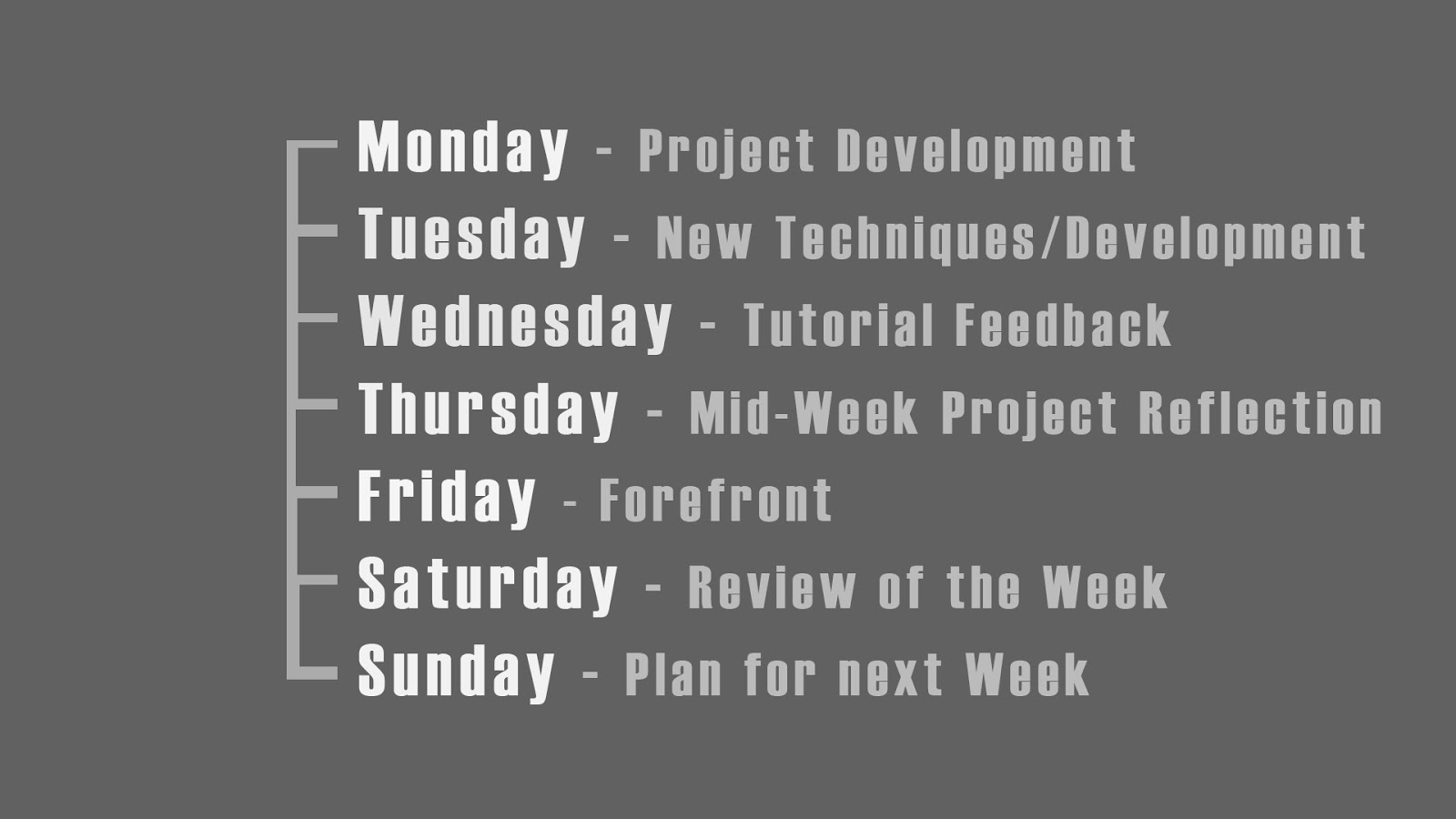
Today I had my first symposium session where I discussed with my peers how we would each be documenting our projects. I and a few other students brought up that we would be adopting a habitual approach where we would follow a rigid structure in regards to blog posts. You can see below an image from my presentation where I highlight my posting schedule:


Here you can see that I have suggested dedicating some days to a specific theme. I feel this style could help me keep things organised and also make it easy to summarise my development when it comes to my major project presentation as all the relevant posts can be organised by week and day.

To my surprise lots of people really liked the idea of dedicating certain days to a theme, such as my "Forefront Friday" posts. It was interesting to note that a lot of people weren't going to adopt this structure for their documentation and it was nice that I inspired some people to try my approach!

Whilst I feel segmenting the days like this is useful, I will most likely talk about different topics on some days depending on what I have achieved that week and my overall progress. I also won't be posting on the weekends because it seems unnecessary to do so when I discuss my project planning during the week.

I think my biggest takeaway from the symposia session was that forcing myself to take an almost ritualistic approach to documenting my work is the right way for me to go about doing things. This way I am forcing myself to constantly examine the forefront every week and not just when I feel inspired to do so. I think this is important for me as I tend to get too absorbed in my projects, and I believe it would be beneficial for me to take a step back and consider my work in relation to the front runners of the industry.

Tutorial Feedback

During my tutorial session I got an answer to an issue that was causing a lot of slowdown in my workflow. I was shown a method for surface transferring details without the need for baking each component of a model separately. This had been quite time consuming when creating the first part of my fireplace as I was having details being projected onto the wrong surfaces. My solution had been to bake the individual pieces separately which worked, but cost a lot of time when I had to edit the individual maps back together in Photoshop.

Fortunately with this new method I can bake all my details at once by moving the individual components of the model further apart from one another. This way I don't have to worry about projecting undesired details onto the wrong surfaces.

For the upper part of my fireplace model I have moved the individual details apart from another so that the surfaces do not overlap once I bake them in Substance Painter. The Red line represents the distance of the projection around the geometry. The further apart, the less likely the projections will overlap.

This technique is called "exploding" and in the image above you can see how I have moved the objects of the top part of my fireplace far apart so that the cage distance between them does not overlap. You can see the results of the bake below:

This is the Occlusion, Roughness and Metallic map that was created in Substance Painter from my exploded geometry. It was made without the need for cleaning it up in Photoshop as I had to do with the lower part of the fireplace.

I will be using this technique for the majority of my assets and I am SO glad I learnt this early on as it was a huge time saver for this asset. I am confident in the utility of this technique and will be permanently adding it to my creative arsenal.

Tuesday, 29 May 2018

Week 2 - Tuesday: Mansion Exterior

This week I have finalised the exterior face of the mansion environment. I am eager to include this part of the environment within my Unreal Engine scene, as I feel having an exterior provides players with a sense of place and scale rather than having them start inside the mansion.

Completed front section of the mansion exterior.

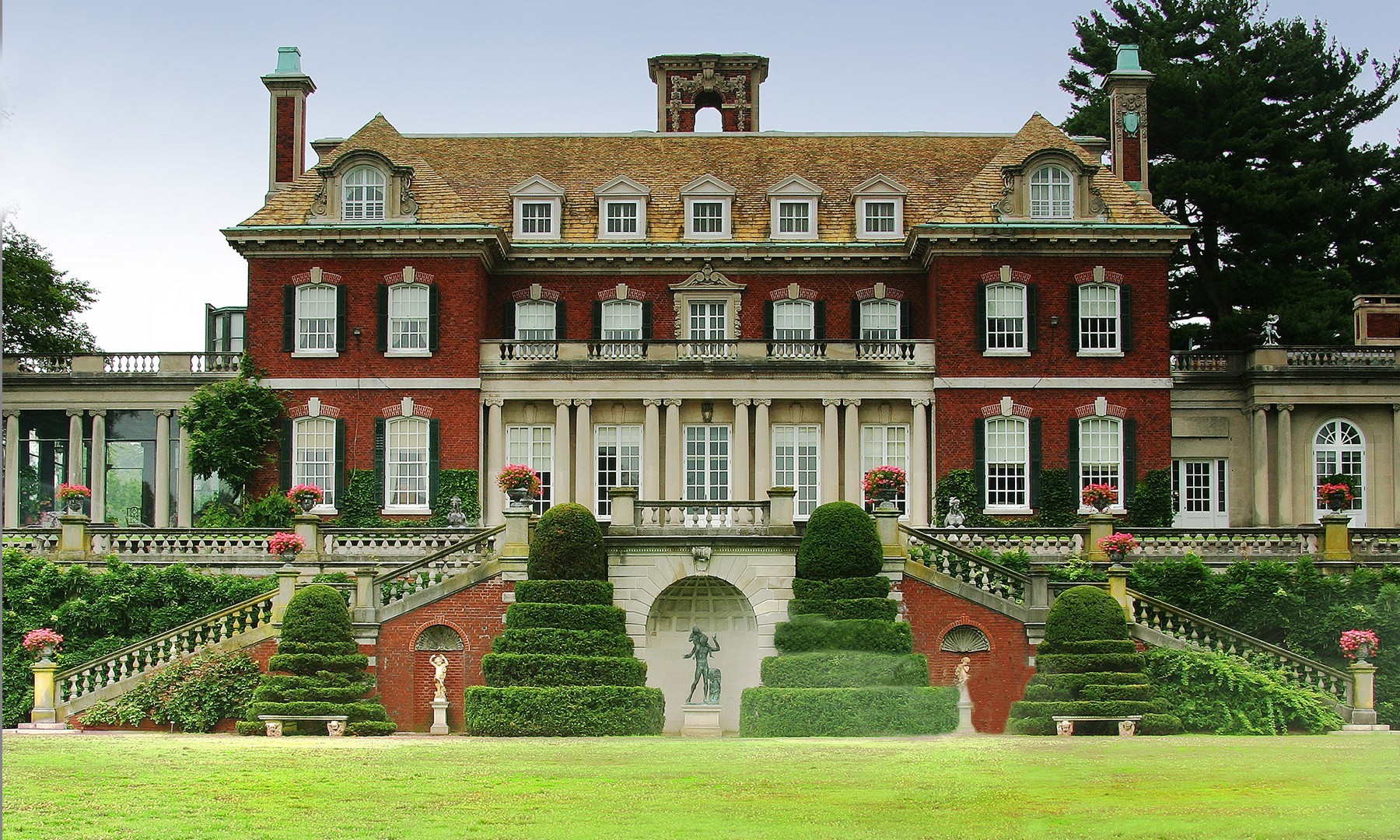
Originally I wanted the exterior to look more like a traditional southern US mansion, however I felt this would limit the scale of the environment too much. Instead I drew inspiration from northen mansions as they convey a much stronger sense of grandeur and wealth.

https://res.cloudinary.com/simpleview/image/upload/crm/newyorkstate/929_e17983ed-fa11-afaa-3db74ead7bc2e2c4.jpg
 Old Westbury gardens a mansion in New York state. Built in 1906.

Because the location of the abanoned mansion is left a secret to the player, I think I can fake some of the finer details. I want to make a strong environment piece first and foremost, so I am willing to overlook some historical inaccuracy.

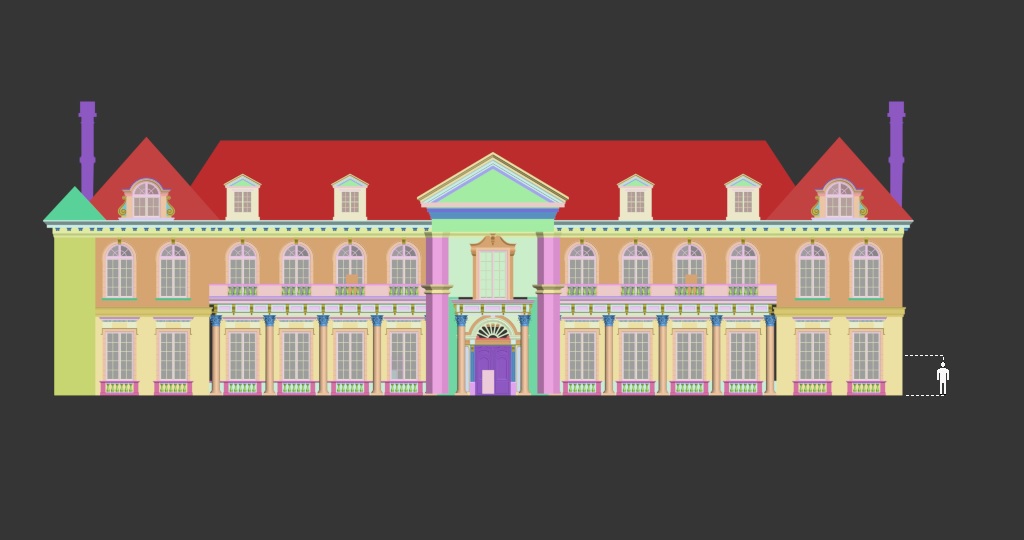
Front orthographic view with person for scale.

The building is mainly comprised of a modular wall piece that I created to fit within the grid spacing system of Unreal Engine:

Render of my modular exterior piece.

You can see how the pieces fit together in the animation below:

A demonstration of the modular pieces fitting seamlessly together.

I felt it was important to have the exterior finished during the modeling of the interior rooms so that I could make their dimensions match the outside in a realistic way. Now that I have the exterior completed, I will be finishing the interior scenes and texturing them first as this is where the bulk of my assets will be housed.

I will bring the exterior of the mansion into Unreal Engine once I am happy with how the interior rooms look in the game.

PATH THROUGH HISTORY. (2018), Old Westbury Gardens [Online Image]. Available at: https://paththroughhistory.iloveny.com/listings/Old-Westbury-Gardens/30477/#.W2h6k6LLxEo [Accessed: 29/05/2018].

Monday, 28 May 2018

Week 2 - Monday: Project Aims and Time Management

As it is the start of the second week of my major project development, I feel it will be helpful for me to evaluate what I am aiming to achieve and the methods I will use to present the project as a whole.

Making assets conform to game engine requirments

Currently this project is being created with the intention that it will run through Unreal Engine 4. As such it is not only about making the models look good, but also making sure that the models and assets I create meet the requirements of the engine. For me this means using my poly budget wisely to create assets that are readable from a distance. 

For example the silhouette of an object in a game is important for players that are navigating the environment in order for them to understand what the thing is supposed to be. That may sound obvious but for some assets I created during previous projects I only focused on making them low poly without giving much consideration for the silhouette, and as a result the assets looked less believable. From this point onward I am aiming to make the shape of the assets in my environment read better from further away, as I feel this is something future employers will be paying attention to when looking at my work.

Plans for Distribution:

I will be using the Unreal Engine to create still renders of the environment and then distributing these via Artstation. I will also create a fly-through video of my game level that showcases all the details of the environment from different angles. I feel that a video accompaniment compliments still images nicely and gives people a closer look at the intricacies of the environment. 

Currently I have only considered Artstation as the main vector of disseminating my project, however I will be doing some research into other potential vectors that I can use to maximise my projects viewership.

What I am hoping to improve on:

My ability with lighting and scene composition is rather weak at the moment. When I enter my career I would like to mainly focus on asset modelling and texturing as this is where I feel I am strongest. However as I am working solo on this project I need to pick up the slack in other departments, particularly lighting as this is an element that will contribute greatly to how good the final environment looks. 

Because my knowledge and understanding of lighting is lacking in comparison to my other skills, I will be investing some time in studying some of the free to download scenes from the Epic Games launcher so that I can get to grips with the intricacies of lighting in Unreal.

Project Planning:

As it is the start of my second week working on the project, I may need to factor in more time for me to practice lighting in Unreal Engine. So far I have allowed only a few weeks at the start of the project to create the 3D elements that I will need. This may have been a little too optimistic, as I now realise I will be creating the environment in tandem with the other assignments such as UV mapping and creating textures for the models in Substance Painter.


The start of week two on my project plan.

I feel that I have made a lot of progress during the first week although I haven't modelled as much as I thought by this point. I will be reorganising this schedule to better reflect my working habits, so I can accurately plan my project accordingly.