Showing posts with label week 5. Show all posts

Friday, 22 June 2018

Week 5 - Forefront Friday: Visage

Visage (TBA) is an upcoming independent survival horror game and looks to be a spiritual successor to Hideo Kojima's P.T. (2014). It is a noteworthy example of a high quality game funded entirely through Kickstarter. I cite this as an example of the forefront because it is pushing the genre of atmospheric horror to new heights. It accomplishes this mainly through its visual juxtaposition of an idyllic urban household mixed with otherworldly imagery and horror. The games sound design is entirely atmospheric and it is setup in a way that it gives hints and clues to alert the players about the dangers lurking in the house.

Gameplay trailer for Visage.

I find this to be a particularly exciting game because the developers are intending every play through to be a unique experience. The events in Visage will be randomly activated throughout each play session, with the player’s choices resulting in different endings. Visage will also be supporting virtual reality and looks to be a terrifying front runner in advancing psychological horror in video games.

The game is being made in Unreal Engine 4 and as such I will be interested to see how far the team at SadSquare Studio are able to take the game's psychedelic visuals. Originally I wanted to employ similar visual tricks in my major project environment but because I am less focused on gameplay at the moment, I will most likely not incorporate them at this stage. However for my final trailer I would like to experiment with some of the effects they have used as I feel this trailer sets a very ominous tone and I would like to replicate this in my promotional video.

7780'S STUDIO. (2014) P.T.. [DOWNLOAD] PlayStation 4. Tokyo: Konami.

GAME TRAILERS (2017) Visage - Official Gameplay Trailer. [Online Video]. June 22nd. Available from: https://www.youtube.com/watch?v=l1sOQcHYwE4. [Accessed: 22/06/2018].

SADSQUARE STUDIO. (TBA) Visage. [DISC, DOWNLOAD] Microsoft Windows, PlayStation 4, Xbox One. SadSquare Studio.

Thursday, 21 June 2018

Week 5 - Thursday: Project Dissemination

Artstation:

I've been considering where the best place to distribute my project online will be. My main platform will be Artstation as this gives me plenty of options in how I display images of the environment, video and individual asset pieces. The site is widely used by creative practitioners within the games industry, and I have been using it for several months now to house my professional portfolio.

Youtube:

I will be posting my promotional video of the project onto Youtube as I already have an established Youtube channel and would like to continue to expand my audience. As the most popular video sharing website, I feel this maximises the chance of my work being seen by a larger audience.

Autodesk - The Rookies:

The Autodesk competition The Rookies, is also a great way to share work with fellow practitioners. The competition is open to both graduates and alumni and although this project won't be finished in time to enter this year, I intend to submit it next year.

Instagram:

I want to make use of social media platforms such as Instagram as well because the tagging feature lets you share images with an audience across a variety of different interests and specialisms. This gives my work far greater exposure than if I keep it to professional sites like Artstation.

I am hoping by hosting my work on these platforms I will generate interest in my work and establish an audience for my future projects. I will be doing some research into other vectors of dissemination, as the ones listed here are my starting points.

Wednesday, 20 June 2018

Week 5 - Wednesday: Amended Project Schedule

I am now five weeks into the production cycle of my major project. So far I feel I have been making decent progress but unfortunately I wasn't able to hit the mark of my original schedule which had me completing all major 3D modelling by the end of week four. I feel that my original schedule was a bit unrealistic with the way that it was structured.

My original project schedule.

Therefore I have made the following amendments. I have increased the duration of time allowed for environment and asset modeling, as well as the time for UV mapping and texture work. Over the past 5 weeks the vast majority of my time has been spent on these three areas and I foresee that I will need more time here in order to bring the project up to the standard I want to achieve. In addition to this I have also made sure that these three areas run concurrently with each other as it makes more sense for me to work on each area as I go, rather than segment them up into individual tasks which I will tackle one after the other. I think this stops me from getting over zealous and creating too many models without enough time to implement them into Unreal Engine 4.

My updated project schedule with the activities extended and overlapping.

I have crossed off the weeks that I have completed so far, leaving me with just over seven weeks of the project remaining. Whilst I am not at the point I would have liked to have been, I believe things will speed up from here onwards. When I created assets during the early weeks of the project, I wasn't aware of the "exploding" technique when doing hard surface transfer in Substance Painter. This resulted in quite a big loss of time as I had to separately bake all the elements of the high poly model. Since changing my methods I have been able to create assets much faster, resulting in quick implementation of these assets within Unreal Engine. Also as the design of my environment has been coming into focus, I am finding myself with greater confidence to quickly create elements of the environment that fit in with my design.

My Project Calendar.

With seven weeks left I believe I will have enough time to meet my project goals and perhaps exceed the amount of assets that I thought I would originally be able to create.

Tuesday, 19 June 2018

Week 5 - Tuesday: Props Armchair

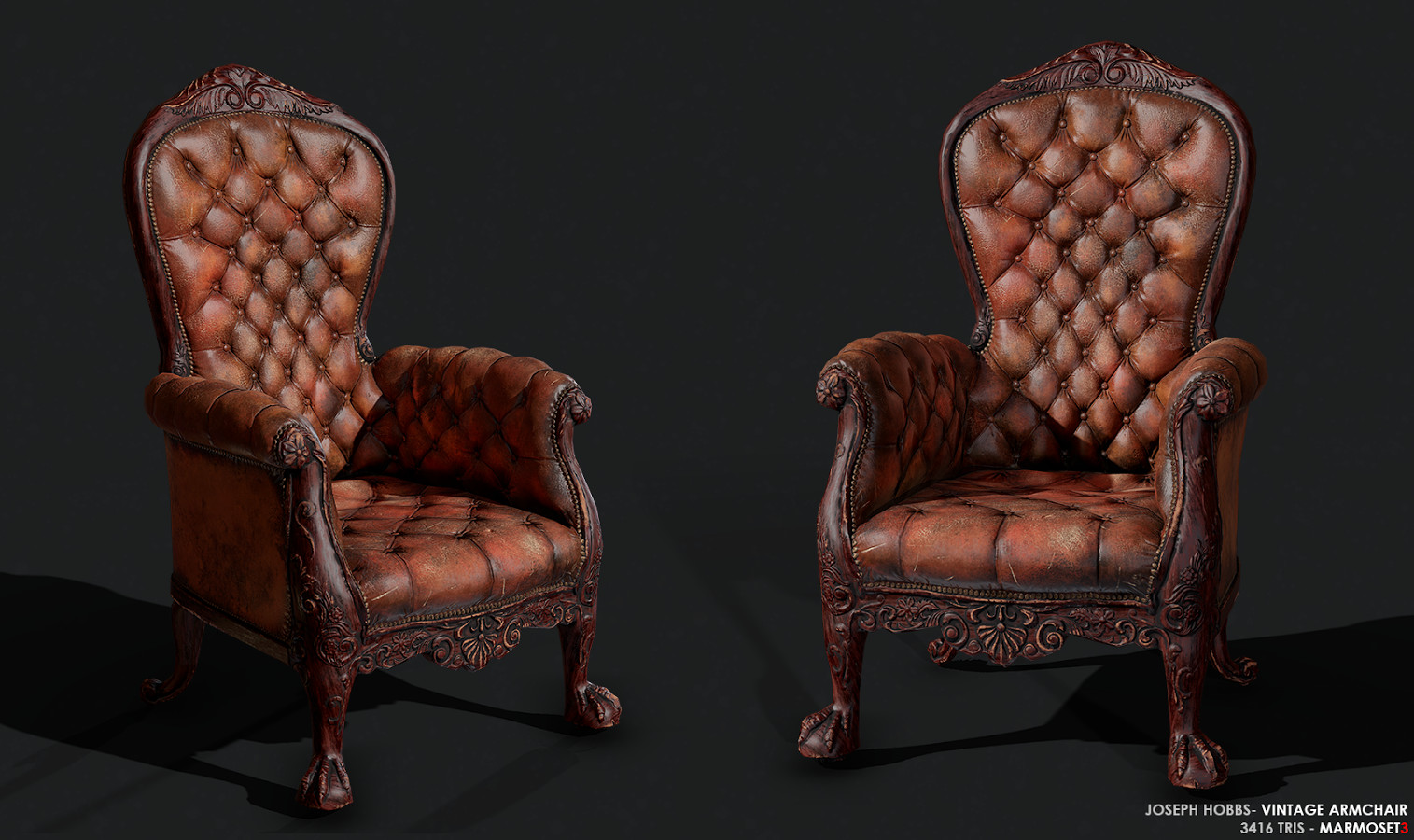
Today I completed a high poly prop for my mansion environment. I was inspired by the artwork of Joseph Hobbs a former student in the year before me. His Artstation portfolio is of a very high quality and his is the level that I am trying to reach by the end of this year. I was impressed by an armchair model which he had created, and wanted to test myself and see if I could create one of my own.

The armchair model created by Joseph Hobbs.

I wanted mine to have a more contemporary feel and finally settled on a design that I liked, this leather chesterfield armchair:
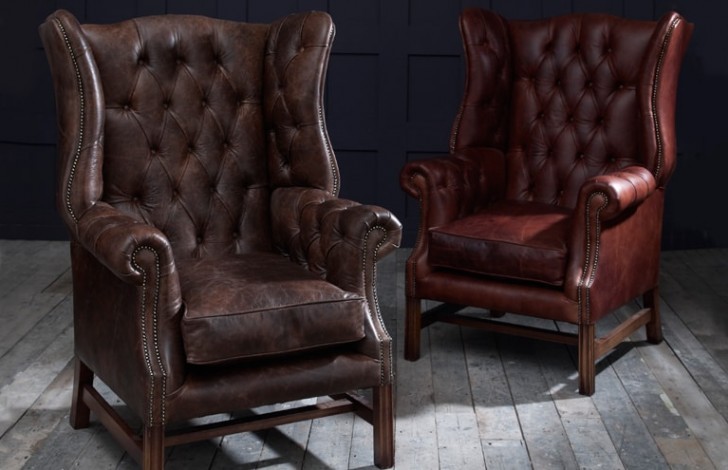
Manchester Vintage Leather Fireside ArmchairVintage leather armchairs.

I created a high poly model in 3DS max and manually added creases to areas where I thought the surface should be taut. I had a Turbo Smooth modifier applied to the model which I toggled on and off to check whether the creases looked correct:

Toggling between smoothed and unsmoothed versions of the model.

I also created some renders of the high poly model to add to my portfolio which you can see below:

Rendered images of the high poly armchair.

Once the high poly model was completed, I created a low poly counterpart ready for surface transfer in Substance Painter. Normally I tend to be as stingy as possible when it comes to the amount of polygons I use for the low poly model. This has resulted in some ugly silhouettes for my past assets however and I wanted to avoid that this time, so I used more polygons on the edges of the armchair to make it look less jagged:

The high poly armchair next to the low poly model.

To avoid the issue of incorrect details projecting onto unwanted surfaces, I made sure to explode both the high poly and low poly models when I exported them into Substance Painter:

The exploded armchair model ready to be taken into Substance Painter for texturing.

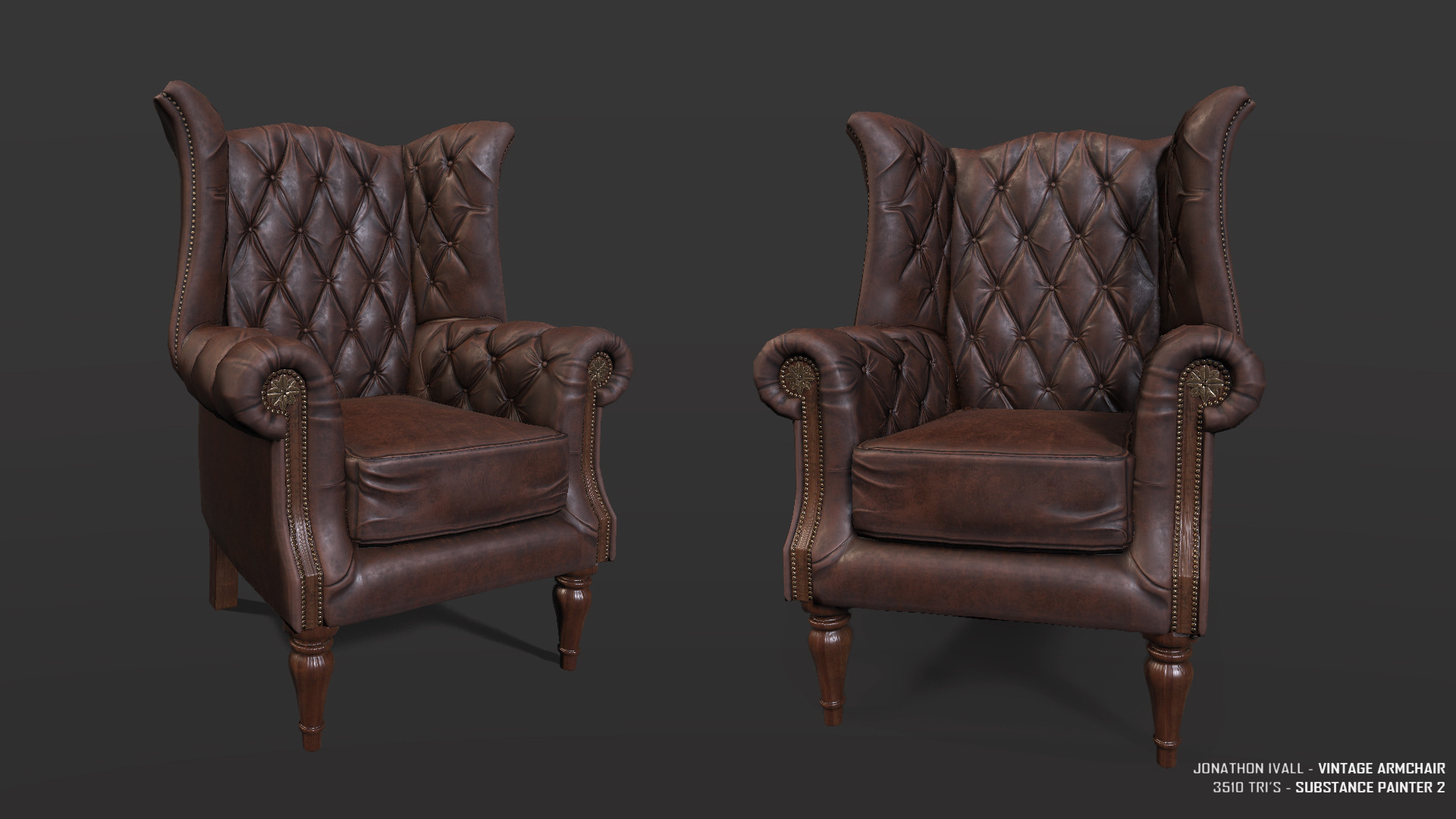
Below you can see the fully textured model as seen in Substance Painter:

This is the portfolio piece that I will be adding to my Artstation page.

The completed model is 3510 Tri's in total:

I have included a wireframe shot in my portfolio to show employers that I can surface transfer properly.

Overall I am very pleased with this piece as I feel individual assets are something that was missing in my portfolio. Whilst I am pleased with how the model turned out, I think that had I sculpted the high poly version in ZBrush instead of using 3DS Max, it could have looked better. Joseph used ZBrush to create the details for his model and I feel because of this, he was able to achieve a higher level of detail and fidelity.

My modelling process is an area that I would like to improve on as I have a lot of ornate assets left to model and not a lot of time to do so. Whilst I acknowledge that ZBrush would likely be a better tool to use for this purpose, I don't want to risk investing the time into learning to use it like a professional. I feel that any work I create with it now could end up being sub-par due to my inexperience with the program. As this is my stand out project, I am going to stick with what I know in terms of 3D modelling for now. However it is clear to me that ZBrush is the way to go for high poly details both in terms of time and quality. I spent a lot of time moving individual vertices of my model around to make the creases for the chair, when I could have just sculpted those details straight onto the model in ZBrush.

HOBBS, J. (2017), Vintage Armchair [Online Image]. Available at: https://www.artstation.com/artwork/E0kL8 [Accessed: 19/06/2018].

THE CHESTERFIELD COMPANY (2018), Manchester Vintage Leather Fireside Armchairk [Online Image]. Available at: https://www.thechesterfieldcompany.com/leather-armchairs/manchester-vintage-leather-fireside-armchair/ [Accessed: 19/06/2018].

Monday, 18 June 2018

Week 5 - Monday: Identifying my target audience

My main goal with this project is to create a standout portfolio piece, one that will help me find employment within the games industry. Ideally I want this project to serve as the culmination of my skills and be the project I go to first when showing my work to other artists. With this in mind I have been tailoring the project for art directors, lead environment artists and prop artists within the gaming industry.

I have been making sure to spend a good amount of time on the individual assets within my environment so that I have more than just a "pretty" finished piece by the end of the thirteen week development period. These individual assets will be uploaded separately to my Artstation portfolio so that I can give each asset the attention it deserves. I am particularly interested in working as an environment prop artist, so I want to make it clear that I have adhered to the current practices of the industry. This will involve presenting my work in a way that demonstrates clearly how I have made each prop. For example I will include wireframe breakdowns as well as the low and high poly meshes for people to view.

I hope that by doing this I will show that I am a professional creative practitioner as evidenced by every element of my completed environment. My presentation of the finished environment will be crucial so I will continue to organise my online portfolio so that it is obvious to other professionals that I am creating content worthy of triple A gaming.

I am currently working on another prop for my environment, a leather armchair. I will be posting it to my blog and Artstation page as soon as it is finished. Once I have a game-ready prop in my portfolio I will begin to apply for jobs in the industry.